ADVERTISEMENT
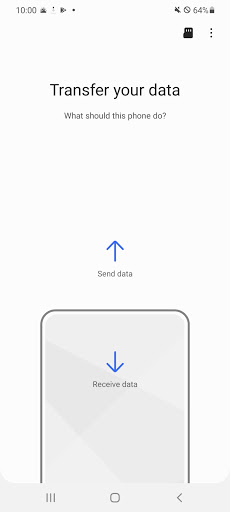
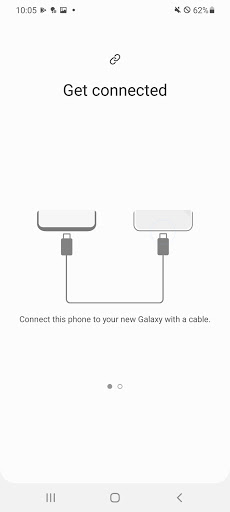
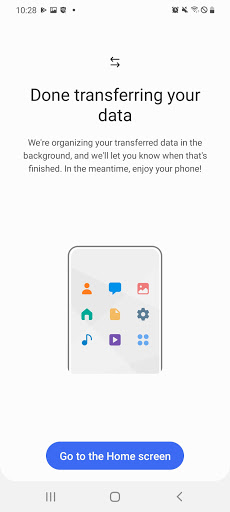
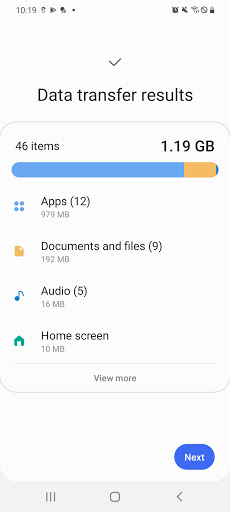
The Samsung Smart Switch Mobile app serves as a bridge for users transitioning to a new Galaxy device. It is designed for both Android and iOS owners, providing them with the necessary tools to seamlessly transfer valuable data such as contacts, music, photos, calendar events, and more. The goal is to make the switch to a Galaxy device as smooth as possible, ensuring that all essential information is retained and easily accessible after migration. Its target audience includes anyone looking to upgrade their mobile experience, especially those migrating from older devices or different platforms. 📱
With the Samsung Smart Switch Mobile app, users are empowered to not only move their data but also discover new applications that suit their interests by suggesting similar apps available on Google Play™. This feature aims to enhance user experience, making it a comprehensive tool for new Galaxy users. 🌟
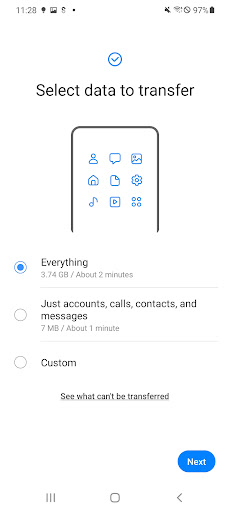
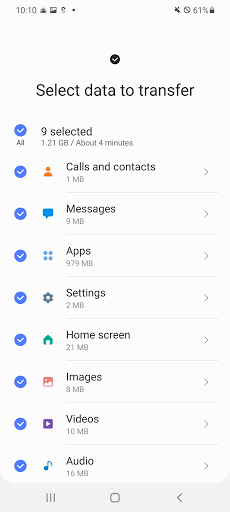
1. Comprehensive Data Transfer: The Samsung Smart Switch Mobile app enables users to transfer a wide range of data, including contacts, messages, photos, and even device settings. This function is critical for maintaining continuity in user experience from one device to another. 📦
2. Cross-Platform Compatibility: Whether you are switching from an Android device or an iOS device, this app has you covered. It supports various transfer methods, including wired transfers from iOS devices and imports from iCloud™, allowing a larger audience to enjoy its benefits. 🔄
3. App Discovery: Following data transfer, users can easily find compatible apps or alternatives on Google Play™, making it easier to set up a new device tailored to their preferences. This feature enhances user satisfaction by simplifying the app installation process. 📲
4. Secure and Free Transfer: The Samsung Smart Switch Mobile app ensures that all data is securely transferred between devices, offering peace of mind to users concerned about their information safety. Plus, it is available for free, making it accessible to all Galaxy users. 🔒
1. User Interface Improvements: While the app is functional, the user interface could benefit from a more intuitive design. Simplifying the user journey could improve the overall experience and cater to those less tech-savvy. 🌐
2. Extended Device Support: Although the app supports numerous devices, expanding compatibility to older or less common models could help more users take advantage of the Samsung Smart Switch Mobile app. 📈
3. Enhanced Transfer Speed: Users have expressed a desire for faster data transfer rates, especially when handling large files or extensive data sets. Improving this aspect could greatly enhance user satisfaction. ⚡
The app has received mixed feedback from users. On the positive side, many appreciate its ease of use and the ability to transfer a wide range of data securely. One user stated, "I was able to download the Samsung Smart Switch Mobile app and transfer everything in a matter of minutes!" 🌟
Conversely, some users have reported issues with device compatibility and slow transfer times. One user noted, "I had trouble connecting my old Android device, and the transfer took longer than expected." These comments highlight that while the app is beneficial, there still remain areas for improvement. 📉
ADVERTISEMENT
Safe & Fast App Downloads on Tapocket
Tapocket secures downloads of the Samsung Smart Switch Mobile with signature verification.